
REPLAYDATA Product Demo





















Download and install steps for Replay Data Plus Demo
updated on 1/16/2024
1. Download and import into Ninjatrader using the Control Center/Tools/Import/Ninjascript menu.
2. Restart NinjaTrader
3. After the restart, find the new Replay menu in the Control Center - Tools menu.
See ReplayDataPlus functions below
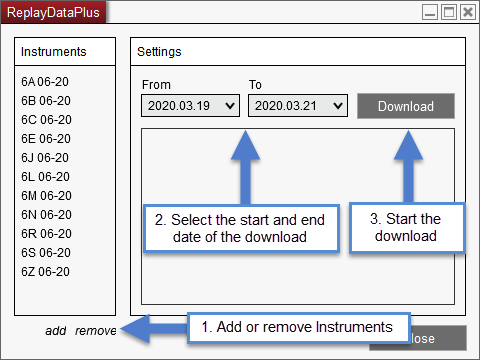
- Download only the last 3 days of Replay Data for every instrument.
- Expires after 7 days
*Product Compatibility: NT8 8.0.14.0 - NT8 8.1.4.2
You can purchase the product below.
 Spring Sale. Use coupon code SPRING15 to get 15% off everything.
*Price includes VAT
